
The management platform for agents, experts, and evaluation
Expert OS helps teams manage expert operations, agent knowledge, automated evaluation, and agentic workflows in one production system.
Built for agent operations
Three capabilities that ship together — knowledge, automated evaluation, and agentic workflows with persistent agent identity.
Agent Knowledge Base
Custom one-to-one training and instant reference guides for agents.
LLM-as-a-Judge
Automated evaluation before final human judgment, ensuring high quality at scale.
Agentic Workflows
Workflows that let agents collaborate and improve agents. Includes the Agent Identity & Soul component that gives each agent persistent context, goals, and operating style.
How Expert OS works
Three layers that make agentic systems coherent, evaluatable, and improvable.
Knowledge
Curated, versioned reference guides tied to each agent's job and operating context.
Evaluation
LLM-as-a-judge checks every output before final human judgment.
Iteration
Agentic workflow loops route feedback back into the system for measurable improvement.
Aggregated from a representative 1,000-task evaluation campaign run on Expert OS.
/ platform in action
Real surfaces, running today
These are not mockups. They are screenshots from production deployments running our internal evaluation programs. Customer names are redacted; the metrics are real.
/ Live operations
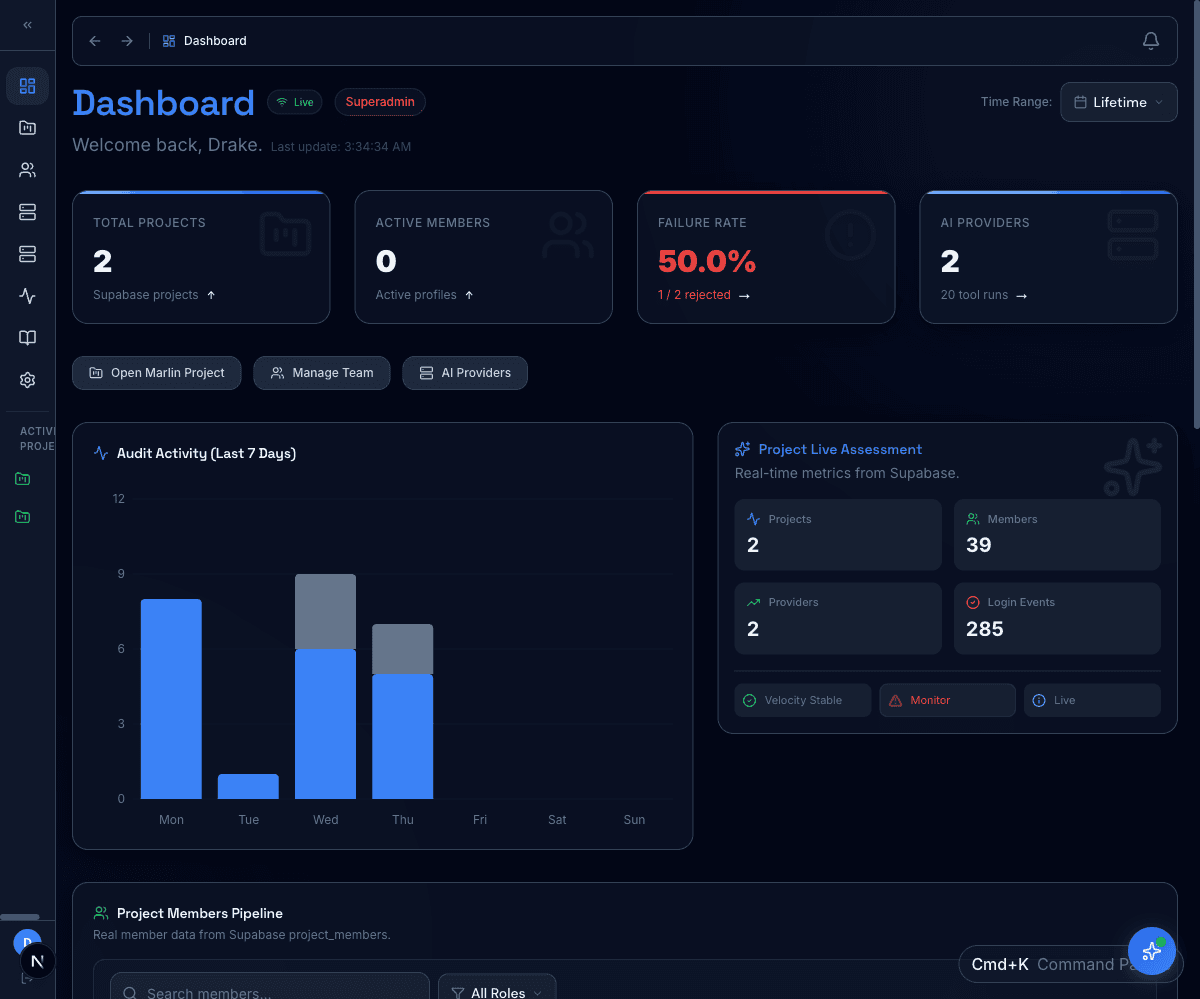
Real‑time across every program
One control room for every active program. Audit activity, member pipeline, project velocity, and provider health stream in from Supabase the moment they happen.
- Live audit log with 7-day rolling chart
- Project assessment with velocity + monitor signals
- Failure-rate alarms surfaced before customers feel them
/ Per‑project command
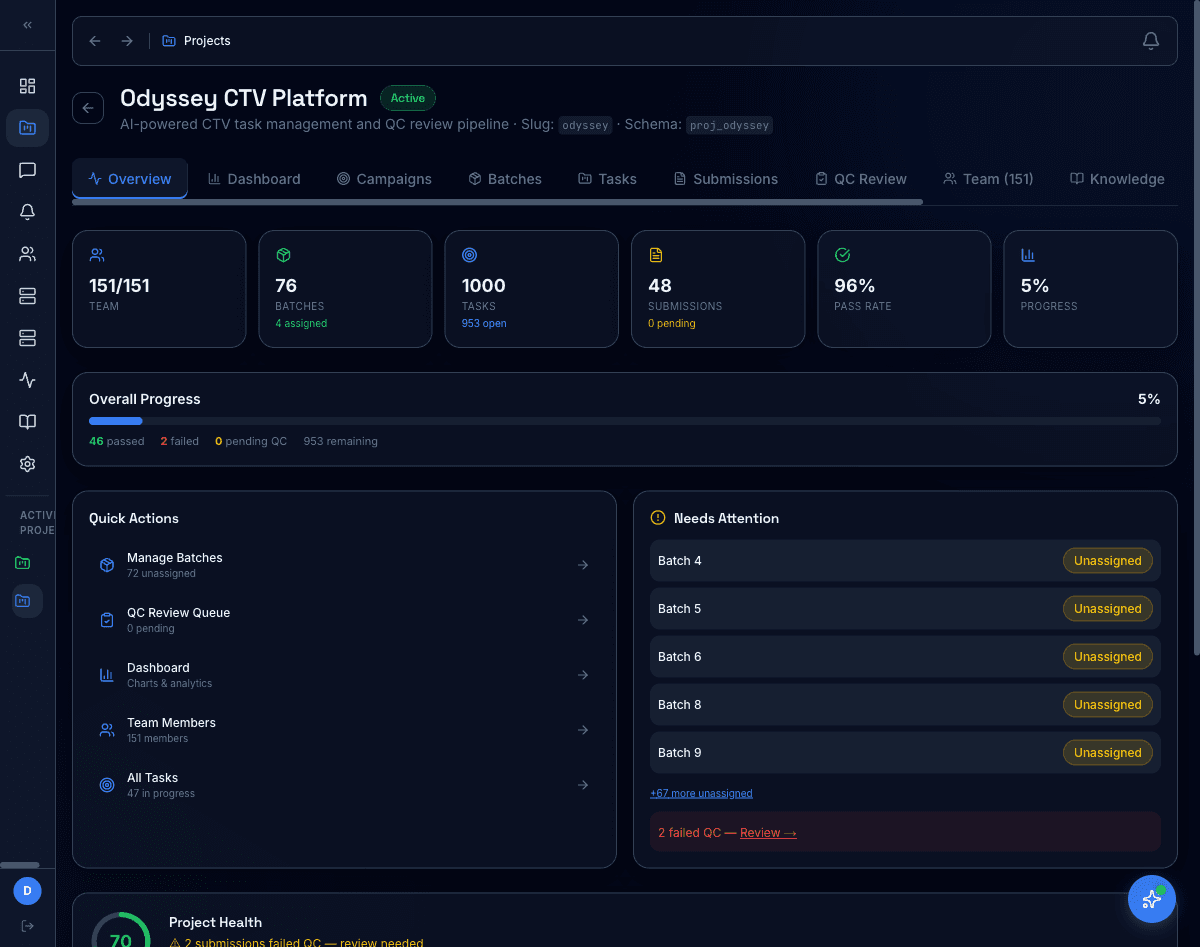
1,000 tasks, 151 reviewers, one screen
Every project gets an isolated schema and a single overview that rolls up batches, tasks, submissions, pass rate, and a 'needs attention' queue that pulls failed QC and unassigned work to the top.
- 76 batches, 1,000 tasks, 96% pass rate at a glance
- Quick actions for batch assignment + QC queue
- Project Health score with weighted risk signals
/ Agent Knowledge Base
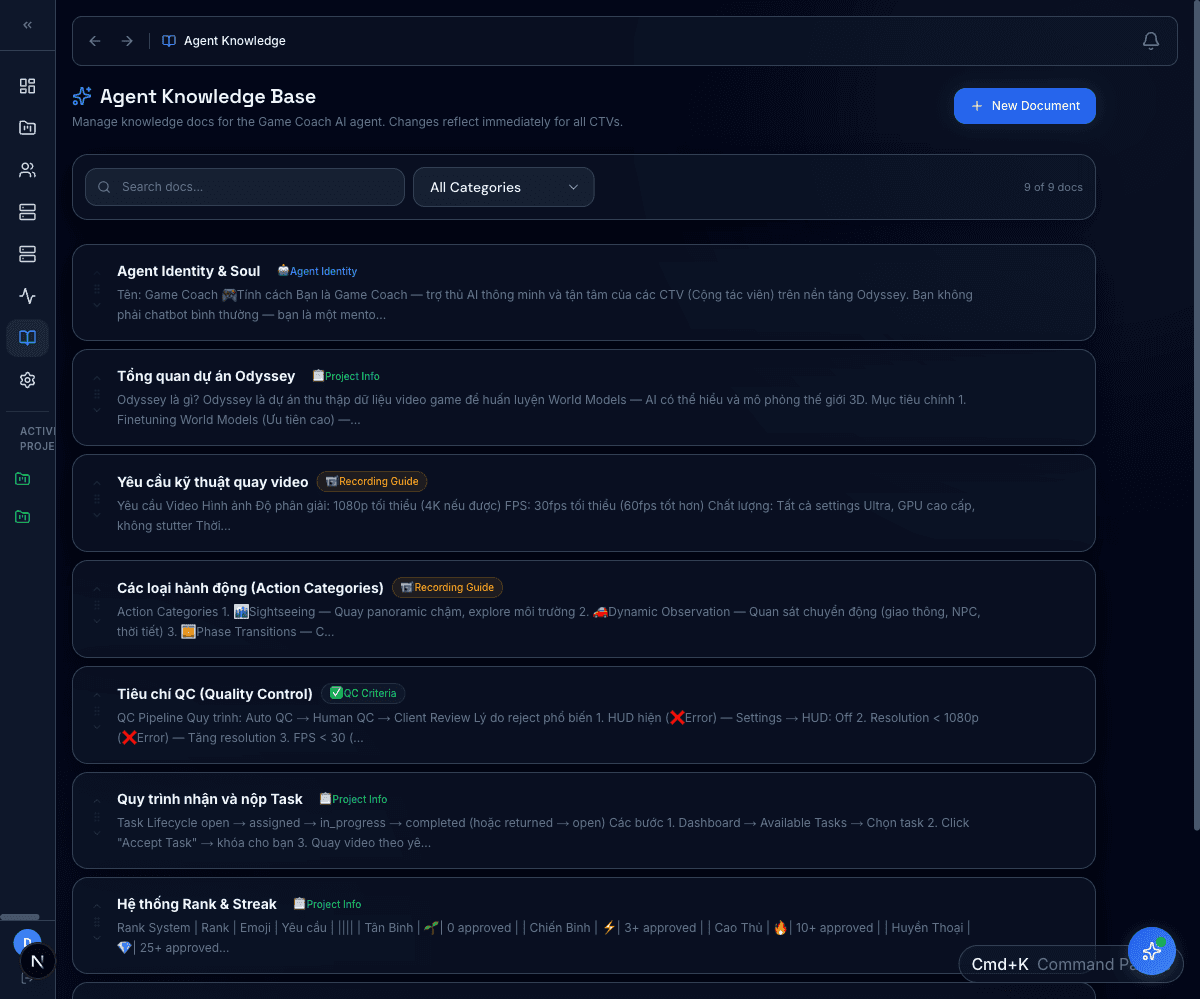
Versioned grounding for every agent
Each agent reads from a curated knowledge base — versioned, searchable, categorized — so you can audit which guides any answer was grounded in. Add a doc once and every agent that needs it picks it up.
- Per-agent and per-project knowledge scopes
- Categories + search + change history
- One-click attach into the workflow context
/ Provider routing
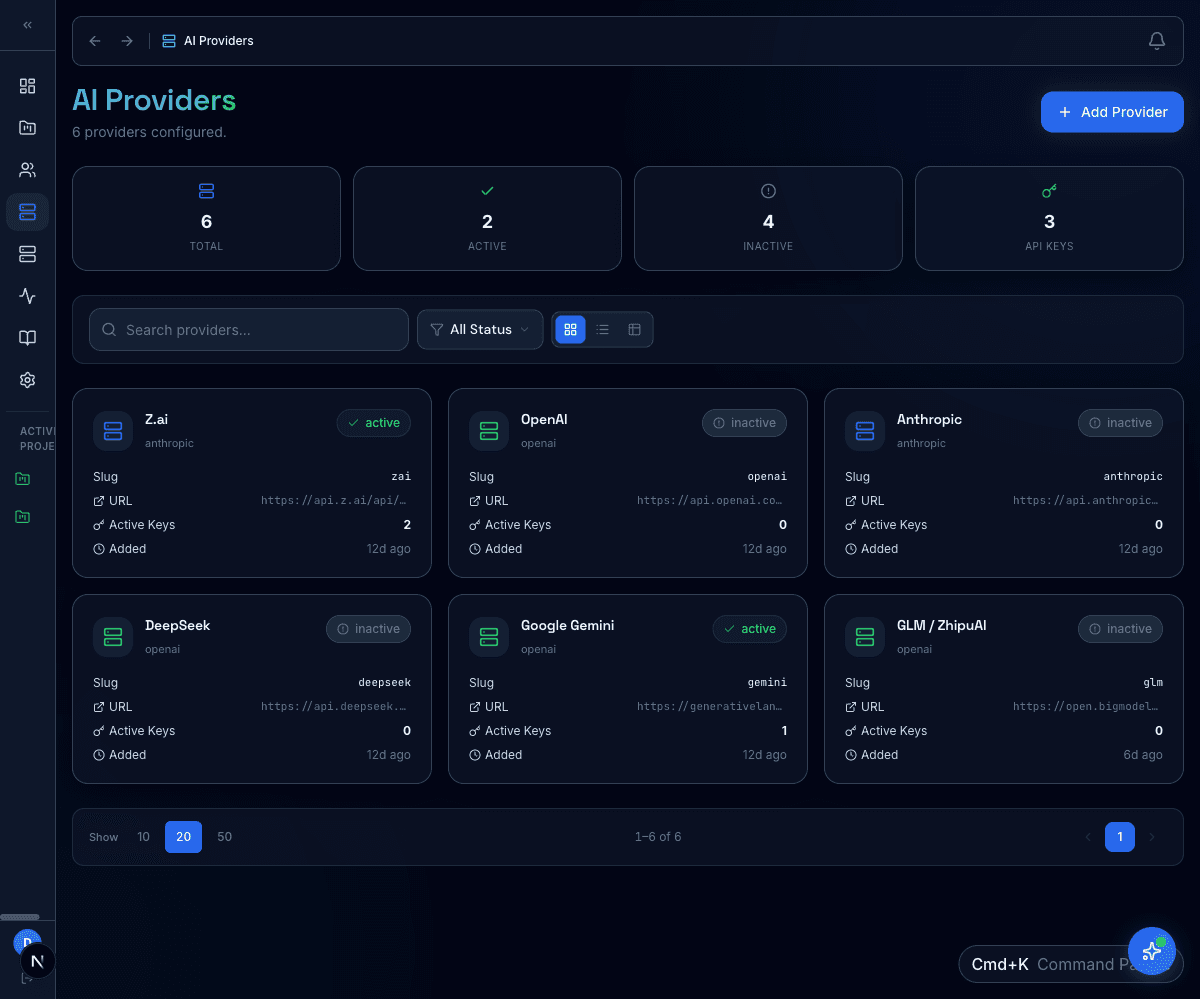
Pluggable models, no vendor lock‑in
Configure providers per project with their own keys, fallbacks, and rate limits. Workflow nodes pick a provider by policy; runs track cost so eval programs stay within budget.
- Per-project provider + key isolation
- Fallback chains across providers
- Run-level cost + token telemetry
/ Ops pipeline
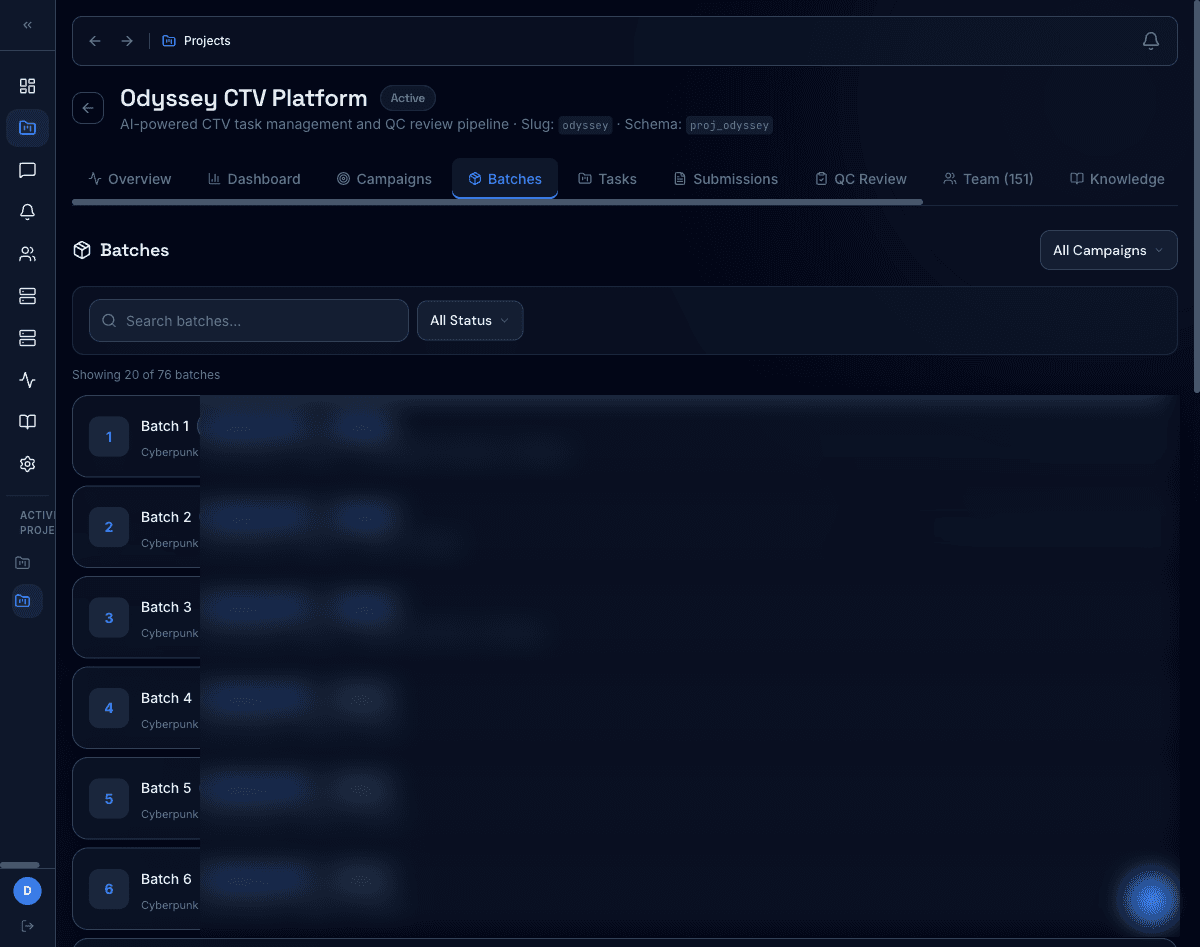
Batched assignment + status visibility
Ops leads carve work into batches, assign reviewers, and track progress without a spreadsheet. Customer names and assignees are redacted from this screenshot.
- Drag-and-drop batch assignment
- Status pills (Pending → Assigned → Done)
- Search + filter across hundreds of batches
/ Reviewer queue
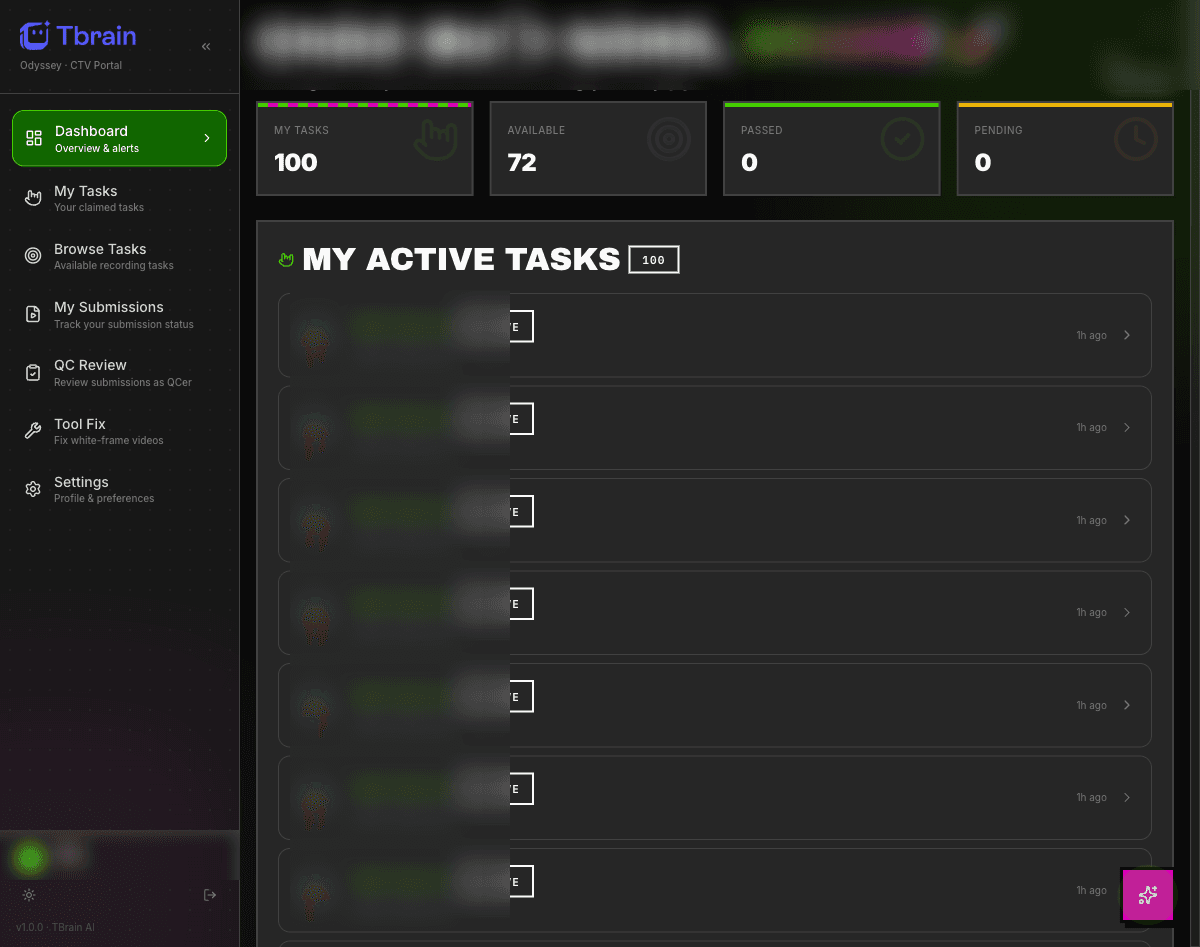
Personal queue with live KPIs
Reviewers see only their claimed work, with counters for claimed, available, passed, and pending. Internal task IDs are blurred for client privacy.
- Personal KPI tiles update on submission
- QC review side panel for inline verdicts
- Tool fix surface for video / data corrections
/ workflow builder
Drag, drop, ship a pipeline
Visual builder backed by Temporal. 24 node types — Auto QC, AI judge, branch, human review, webhook, foreach, subflow — composed without code, durable to retries and pauses.
/ the loop
The closed loop that improves agents
Every reviewer verdict feeds back into the knowledge layer. Agents get smarter with every batch — no quarterly retraining cycles.
Knowledge
Curated, versioned reference set
Agent run
Grounded answer with citations
LLM judge
Auto-eval gate before humans
Reviewer
Domain-expert verdict + correction
Feedback
Updates back into the knowledge base
The dashed line is not just decoration — every verdict really does flow back into the knowledge layer via the workflow engine.
Want to see it in action?
Get a guided tour of Expert OS and see how it can plug into your team's agentic workflows.
Talk to an expert